




ADA Compliance and SEO: The Power Duo You Didn’t Know You Needed

Web accessibility is not only a legal or ethical issue; it also plays a key role in how well your website performs in search engines. If your site is not ADA compliant, you risk more than just losing visitors. You could be missing out on better rankings, higher traffic, and stronger long-term growth! 🤯
Many website owners see accessibility and SEO as two separate goals. In reality, they work together. The same features that help people with disabilities use your website also help Google better understand and rank it. From clear content structure and responsive design to fast load times and easy navigation, ADA compliance supports SEO on multiple levels.
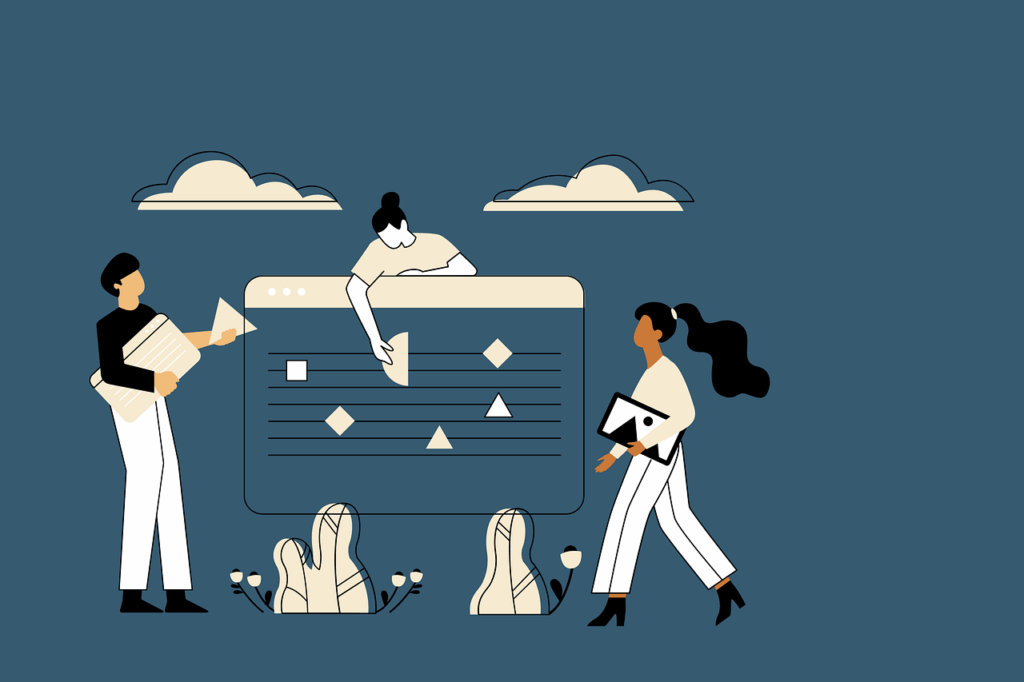
ADA Compliance + SEO = Your Website’s Winning Formula
What does ADA compliance actually look like? It’s about designing your website to work for users with different needs. That means:
- Alt text for images
- Easy-to-read fonts
- High-contrast colours
- Keyboard-friendly navigation
- Compatibility with screen readers
Basically, you’re removing obstacles and giving everyone a better experience.
Now let’s talk SEO. Search engines are like picky readers. They love clean structure, fast performance, and clear messaging. And here’s the cool part: many accessibility features double as SEO wins.
- Semantic HTML helps both screen readers and Google bots understand what your content is about.
- Proper heading structure guides users and crawlers.
- Descriptive link text keeps things clear and clickable.
If your website isn’t accessible, it’s harder to use, harder to crawl, and harder to rank. That’s a triple hit, and one you can avoid with smart, simple improvements.
When Your Site Isn’t Accessible, Google Takes the Hint
Search engines aren’t mind readers. They rely on clean structure, readable content, and smart code to figure out what your website is all about. So when your site is hard to navigate, disorganized, or just plain inaccessible, it’s not only confusing for your visitors; it’s confusing for Google, too.
And confusion doesn’t rank! 📉
Think about it: missing alt text, messy heading levels, or buttons that don’t work with screen readers? That’s not just a bad experience for users; it’s a big red flag for search engines.
It’s not just about crawling either. Accessibility issues also impact how people interact with your site. If users can’t find what they need or complete basic actions, they bounce, and bounce rates don’t lie.
Bottom line? ADA compliance helps users, helps search engines, and helps you win more clicks. It’s a win-win-win.
Hidden Accessibility Issues That Quietly Kill SEO
Many websites lose ranking power due to small, fixable accessibility issues. These slip-ups may seem minor, but they stack up fast.
Missing Alt Text Is a Missed Opportunity
Alt text helps Google understand your images. Skip it, and you’re basically telling search engines: Don’t worry about this image. That’s a wasted opportunity to rank in image search results and give your content more context.
Vague Links Are SEO Kryptonite
Click here tells no one anything. Descriptive link text, such as Download our SEO checklist or Explore ADA compliance best practices, is better for everyone; it improves context, boosts keyword usage, and makes your content easier to explore.
Poor Navigation Blocks Access
If your menus or internal links aren’t usable with a keyboard or screen reader, you’re leaving users (and Google bots) stuck. Broken or inaccessible navigation weakens internal linking, slows down indexing, and keeps important pages hidden.
Messy Headings Confuse Everyone
Headings should guide your content like road signs. If you skip levels, overload a page with H1s, or throw in random header tags for styling, it makes your page harder to follow for both users and search engines. A clear structure = better crawlability.
What Ignoring ADA Compliance Really Costs You
Skipping ADA compliance is more than a legal risk; it’s a business risk. A non-compliant site turns away users, weakens performance, and erodes your rankings over time
- Lower traffic: People using assistive tech can’t navigate your site, which means fewer visitors and lost opportunities. 💥
- Shorter sessions: If users get frustrated or confused, they leave quickly, raising your bounce rate and signaling poor quality to Google. 💥
- Fewer conversions: Forms that don’t work, videos without captions, and buttons that can’t be clicked? That’s a recipe for abandoned carts and empty pipelines. 💥
- Weaker engagement: If your content isn’t readable or your structure is hard to follow, users don’t stick around, and that affects everything from SEO to sales. 💥
When Accessibility Issues Turn Into Lost Revenue
Accessibility problems quietly weaken your entire business. When your website falls short of ADA compliance, you’re shutting the door on millions of potential customers who rely on accessible digital experiences every single day.
People with visual, auditory, cognitive, or motor disabilities deserve equal access to your content. If they cannot browse, read, or complete essential actions, your brand loses trust, your funnels lose leads, and your revenue takes a hit. And yes, it shows up in your analytics long before you even notice it!
Imagine a law firm with a contact form that a screen reader cannot interpret, or an online store with product photos that have no alt text. Both users and search engines fail to understand your content, your bounce rate goes up, and your conversions go down.
Inaccessible websites block growth! The longer you delay accessibility, the more opportunities you leave behind.
How to Audit Your Website Through an ADA + SEO Lens
Improving accessibility (and your rankings) starts with understanding where your website struggles.
Check Your Site With WAVE
WAVE gives you real-time insights into issues such as missing alt text, low color contrast, and broken structural elements. It’s ideal for quick visual feedback on your live website.
Run a Google Lighthouse Audit
Lighthouse offers a broader snapshot, scoring your site on performance, accessibility, SEO, and more. Its accessibility score shows how well your site serves all audiences, and where it fails.
Test With Screen Readers
Manual testing with NVDA or VoiceOver reveals what the user actually experiences. If navigation feels confusing or incomplete, that is your cue to fix it fast.
Work With ADA Compliance Specialists
Professional assistance can make the entire process smoother and more accurate. Instead of guessing what to fix, experts ensure your site meets WCAG standards, supports ADA compliance, and aligns with long-term SEO goals.
Fixing Accessibility Issues That Hold Back Your SEO
Accessibility improvements are not just box-ticking exercises; they directly strengthen your SEO foundation. Every fix makes your content clearer, your navigation smoother, and your site easier for search engines to interpret.
- Add clear and descriptive alt text
Every image needs purposeful alt text that explains what it represents. Search engines understand your visuals better, and users with visual impairments can access your content.
- Follow a logical heading structure
Organize your content with a clear H1 → H2 → H3 hierarchy. This supports readability, clarifies topics, and helps Google interpret your key themes.
- Ensure complete keyboard accessibility
Menus, buttons, forms, and interactive elements should work perfectly from a keyboard alone. This supports users with motor disabilities and improves overall usability metrics.
- Strengthen color contrast and readability
Good contrast ensures text is readable on all devices. It improves comprehension, supports ADA compliance, and aligns with mobile-friendly UX expectations.
- Use ARIA labels where helpful
When elements like sliders or modals lack built‑in context, ARIA labels make them understandable for assistive technology and search engines.
- Write descriptive, keyword-rich link text
Avoid vague links. Clear anchor text supports both navigation and SEO, guiding users and crawlers toward meaningful actions.
Make Your Site Work for Everyone, Including Google
If your site isn’t following ADA compliance rules, you’re losing people, traffic, and revenue. It’s that simple.
Fixing these issues isn’t complicated. Most of the changes (better alt text, proper headings, keyboard navigation) are straightforward and benefit everyone. They make your content easier to read, use, and rank higher on Google.
The longer you wait, the more it costs. So take action now. Audit your site, fix what’s broken, and make ADA compliance a core part of your SEO strategy! 🚀